 xT Development
Features
What the xT Admin web portal gives your staff.
Full parity with the in-game menu
Every surface your staff already know, built for a laptop-sized screen:
Dashboard · Players · Map · Reports · Logs · Bans · Offline players · Permissions · Resources · Density · Stats · Items · Economy Map
Not everything crosses over, on purpose. There is no ped, no vehicle and no coordinates behind an HTTP request, so anything that acts on the admin's own character - teleport, bring, spectate, revive, noclip and the other personal toggles - is in-game only. See Remote actions.
Every tab is gated on its own permission key, and a tab your rank cannot open is never built - the route behind it answers 403 either way.
Dashboard
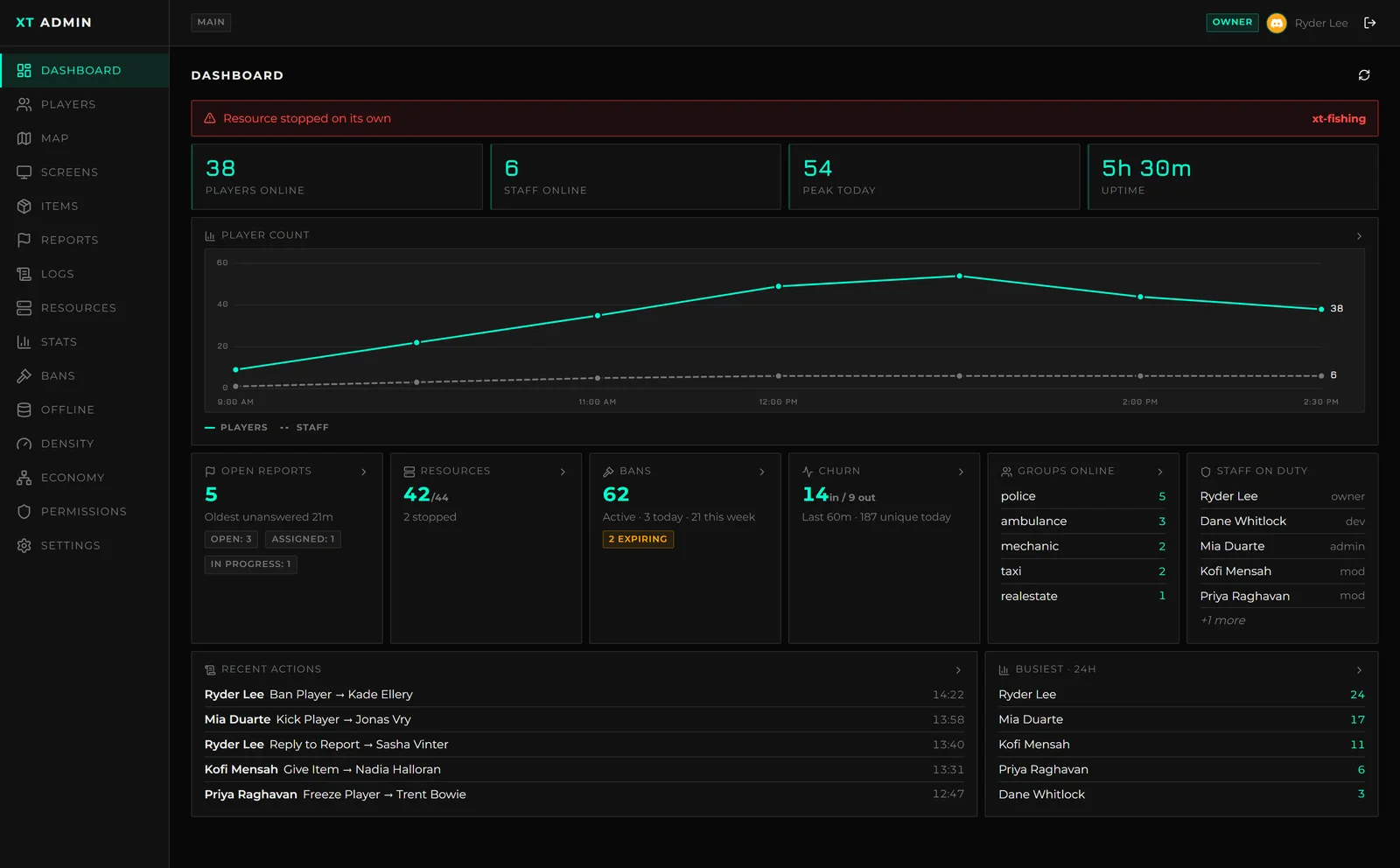
The landing tab: players and staff online, today's peak, uptime, and the player count over the whole run - then open reports, active bans, stopped resources, churn, groups on duty and who has been busiest. Every card links into the tab that can act on it, and a card your rank cannot see is absent from the payload rather than hidden in the browser.
Players
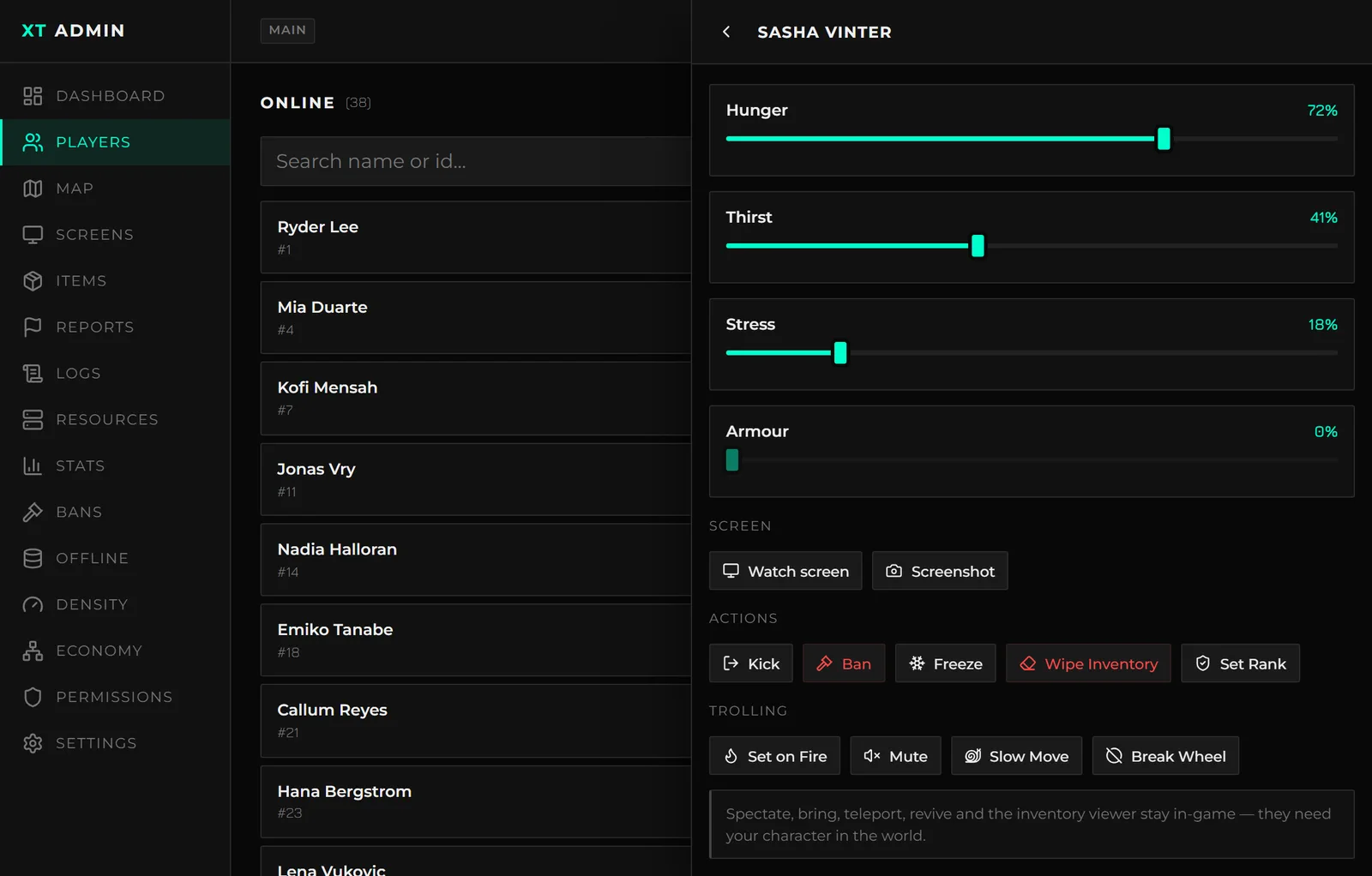
Search the roster, open anybody, and read their identifiers and their needs. The action chips
come from xt-admin's registry, already narrowed to what your rank holds and to what the owner
marked remote = true. Needs sliders write straight to the character.
Map
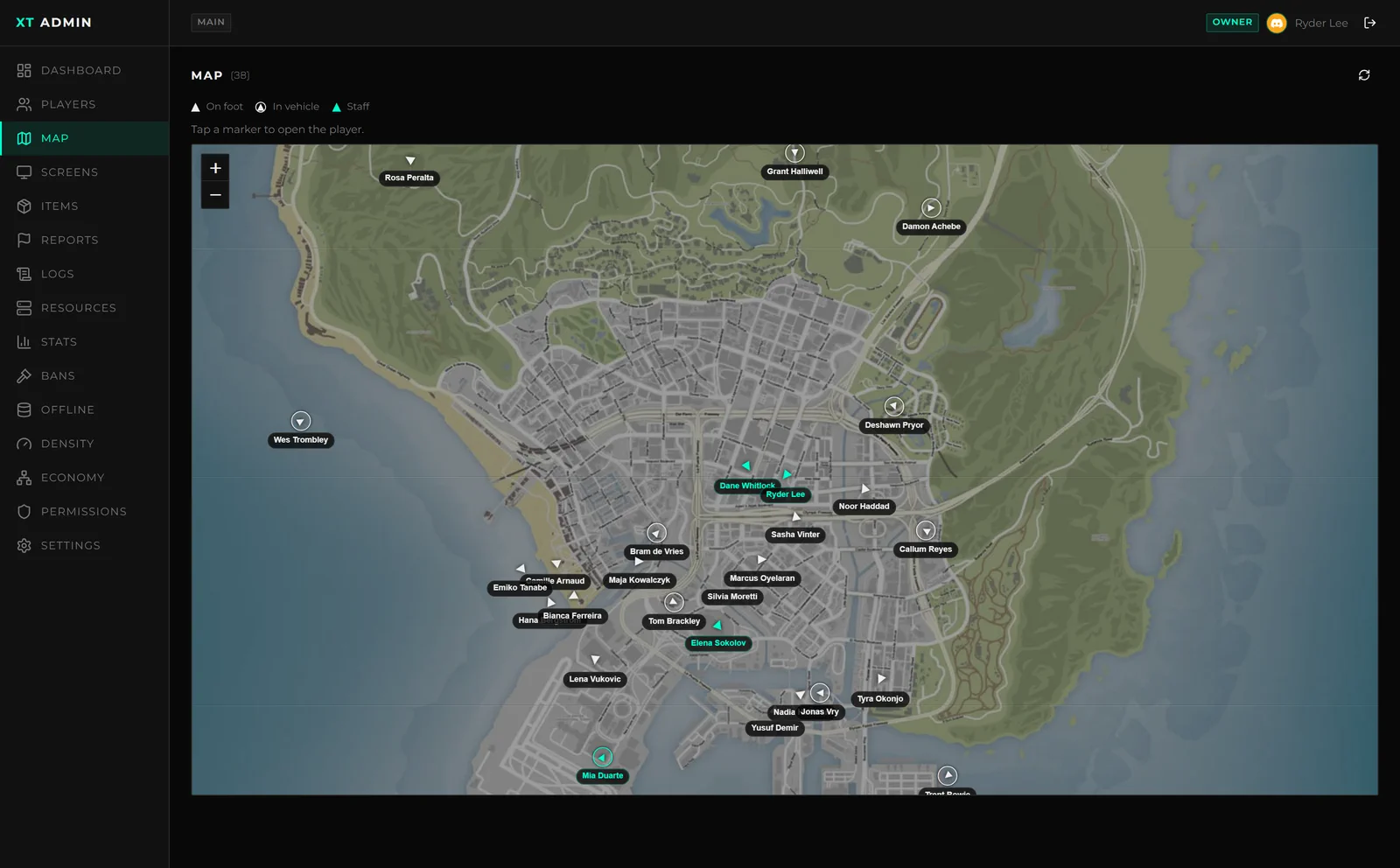
Every connected player on the real Los Santos tiles - on foot or in a vehicle, facing the way they are actually facing, staff in the accent colour. Tap a marker to open that player and act on them without leaving the map.
The portal's map is a place to watch from, not to travel from. Teleporting needs an admin ped in the world, so Bring and Goto stay in game.
Reports
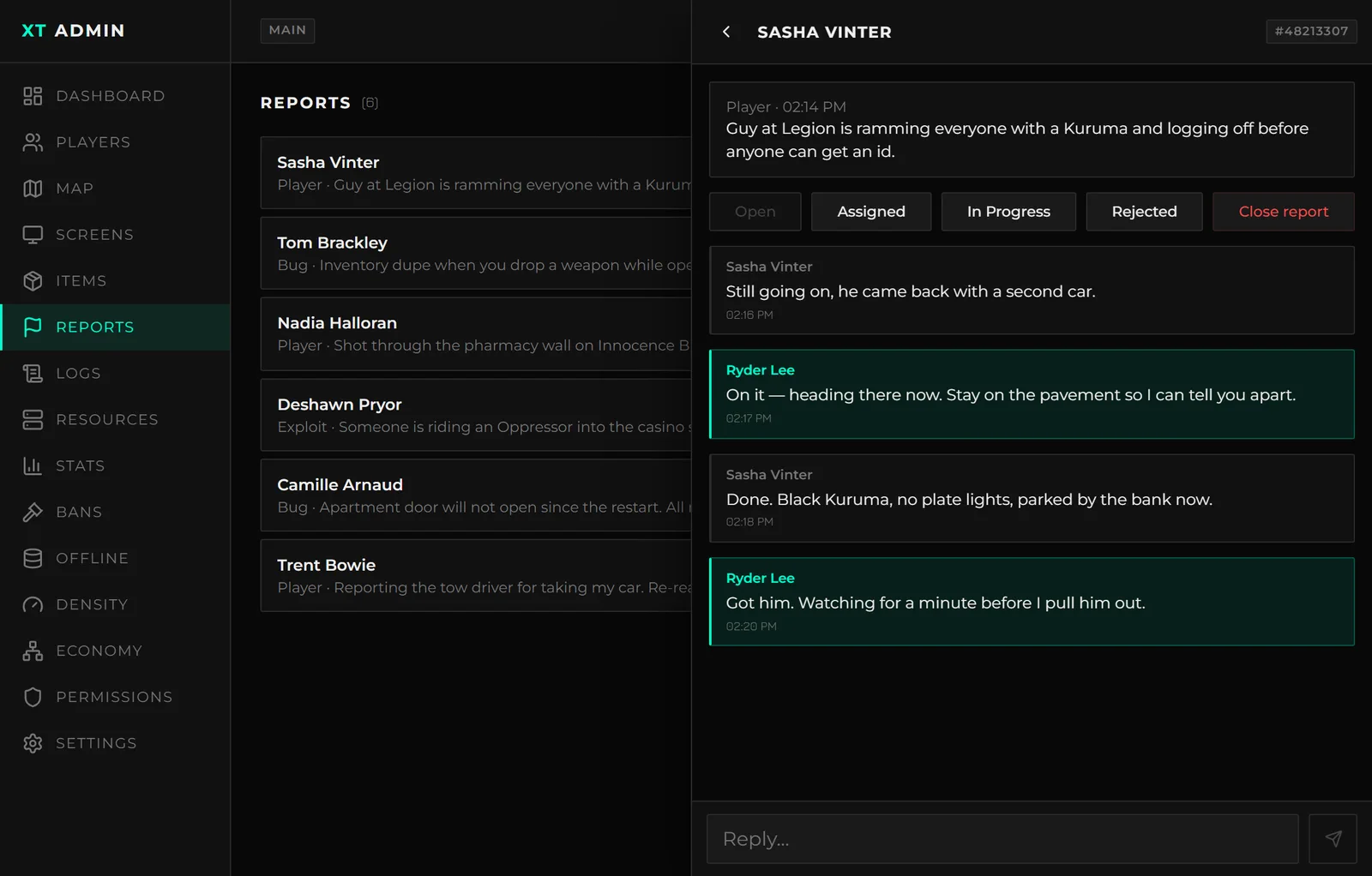
The queue with each report's type and status, and the full thread underneath. Reply, move the status or close it - the player sees the same conversation from in game. Replying, changing the status and closing are three separate permissions.
Permissions
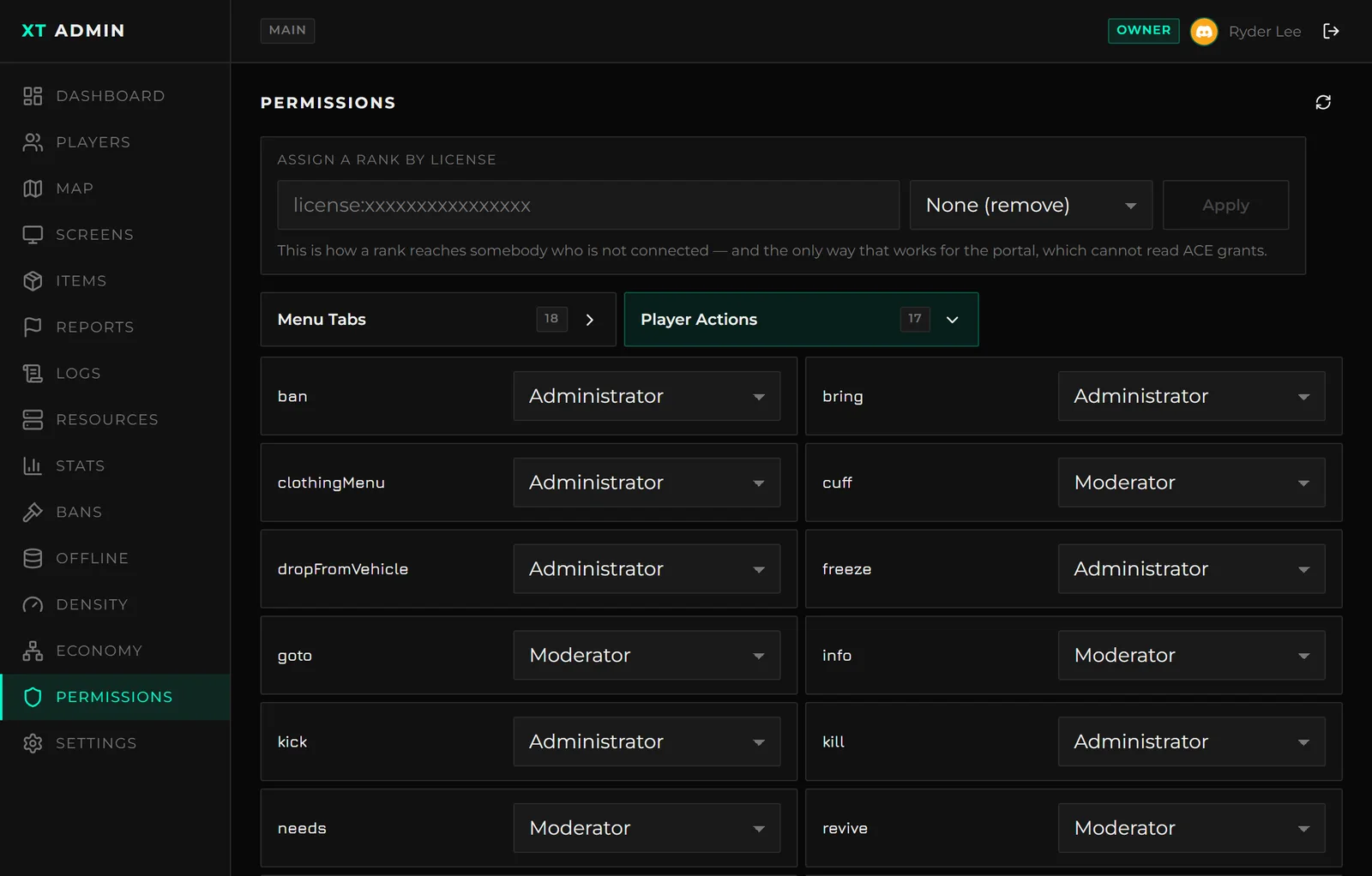
Assign a rank by license - the only route that works here, since an ACE grant belongs to a connected player and there is none behind a web request. The per-action minimum rank table is editable live, with no restart.
Economy Map
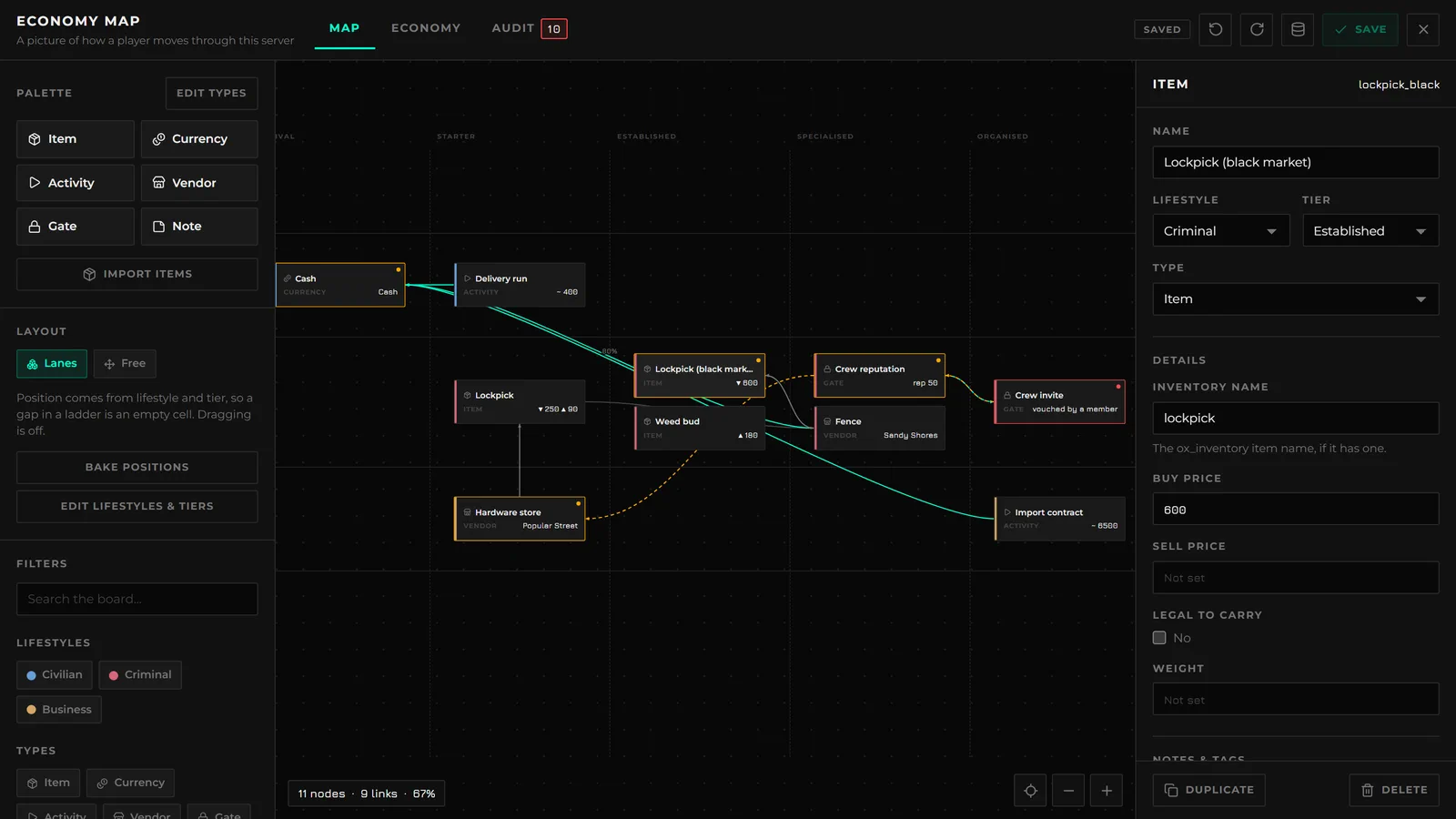
Fully editable from the browser - the same board, schema editor, audit pass and revision history
as in game, behind the same economyView / economyManage permissions, with every save in the
same audit trail. It opens full-screen over the portal, because that is the room it needs.
Bans, Density and Stats
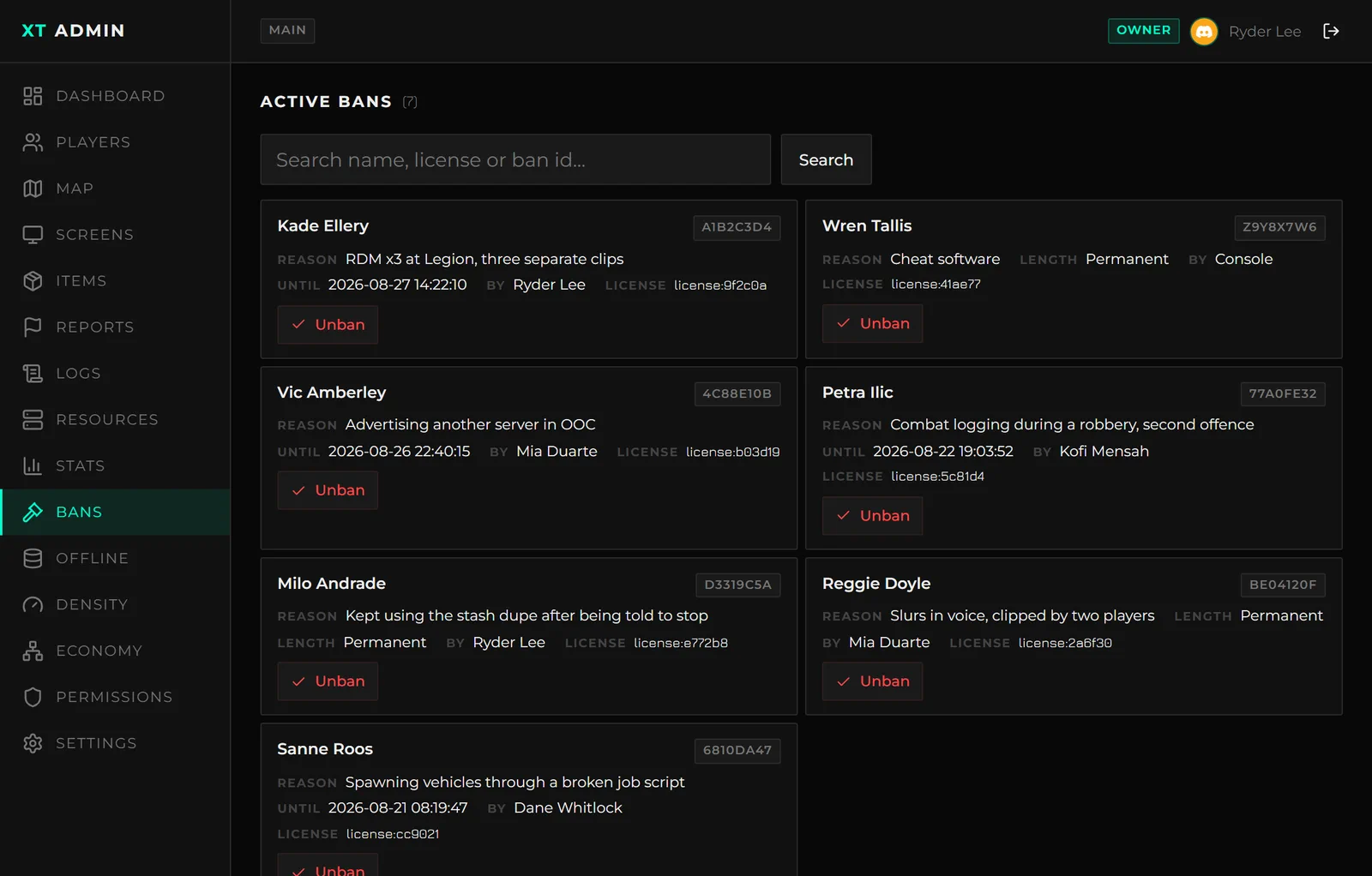
Active bans with their id, reason, issuer and expiry - searchable, and revocable without opening a database client. Somebody who has already left can be banned by search from the Offline tab.
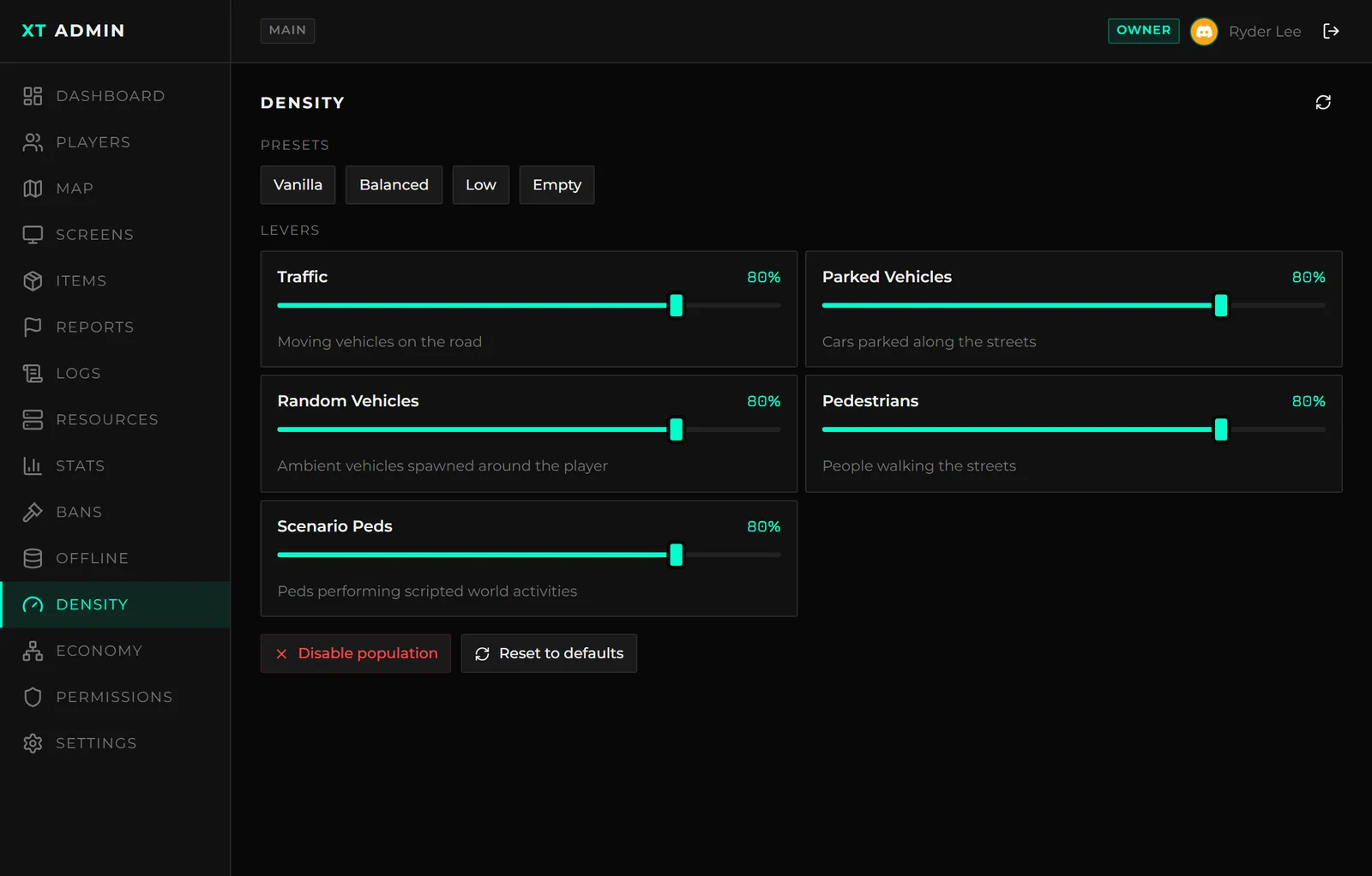
Traffic, parked cars, ambient vehicles, pedestrians and scenario peds, with presets and a single kill switch. Setting and resetting are two separate permissions.
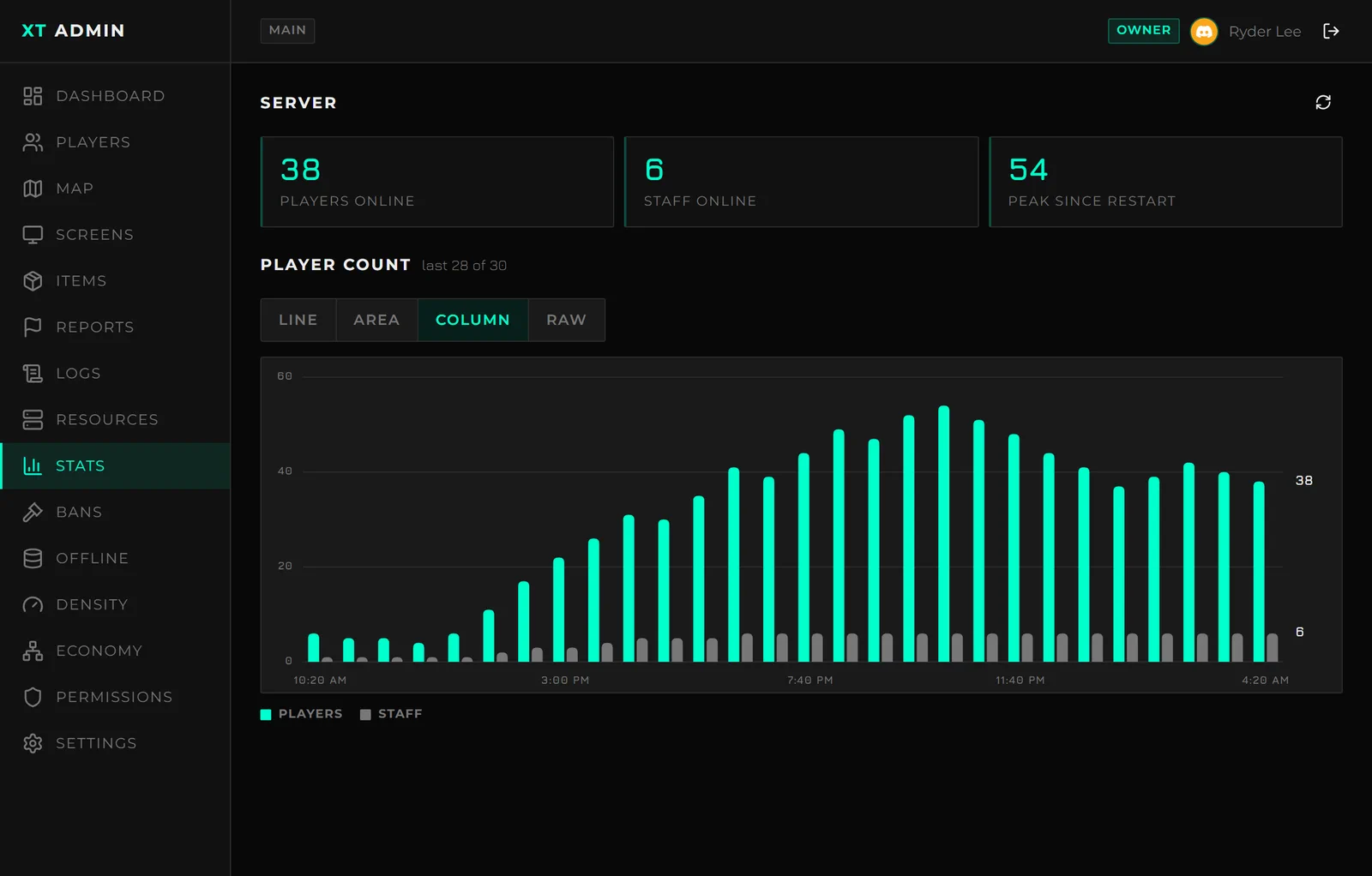
Live player and staff counts with the rolling history since the resource started - as a line, an area, columns, or the raw snapshots the charts are drawn from.
Sign-in
Discord OAuth - no bot to invite, no token to keep safe. A Discord application and nothing
else. The portal asks for the identify and guilds.members.read scopes, which read the
member's roles without a bot token.
TOTP two-factor, on by default. Enrolment happens on first login. Five wrong codes lock that Discord account for fifteen minutes, and a used code is never accepted twice.
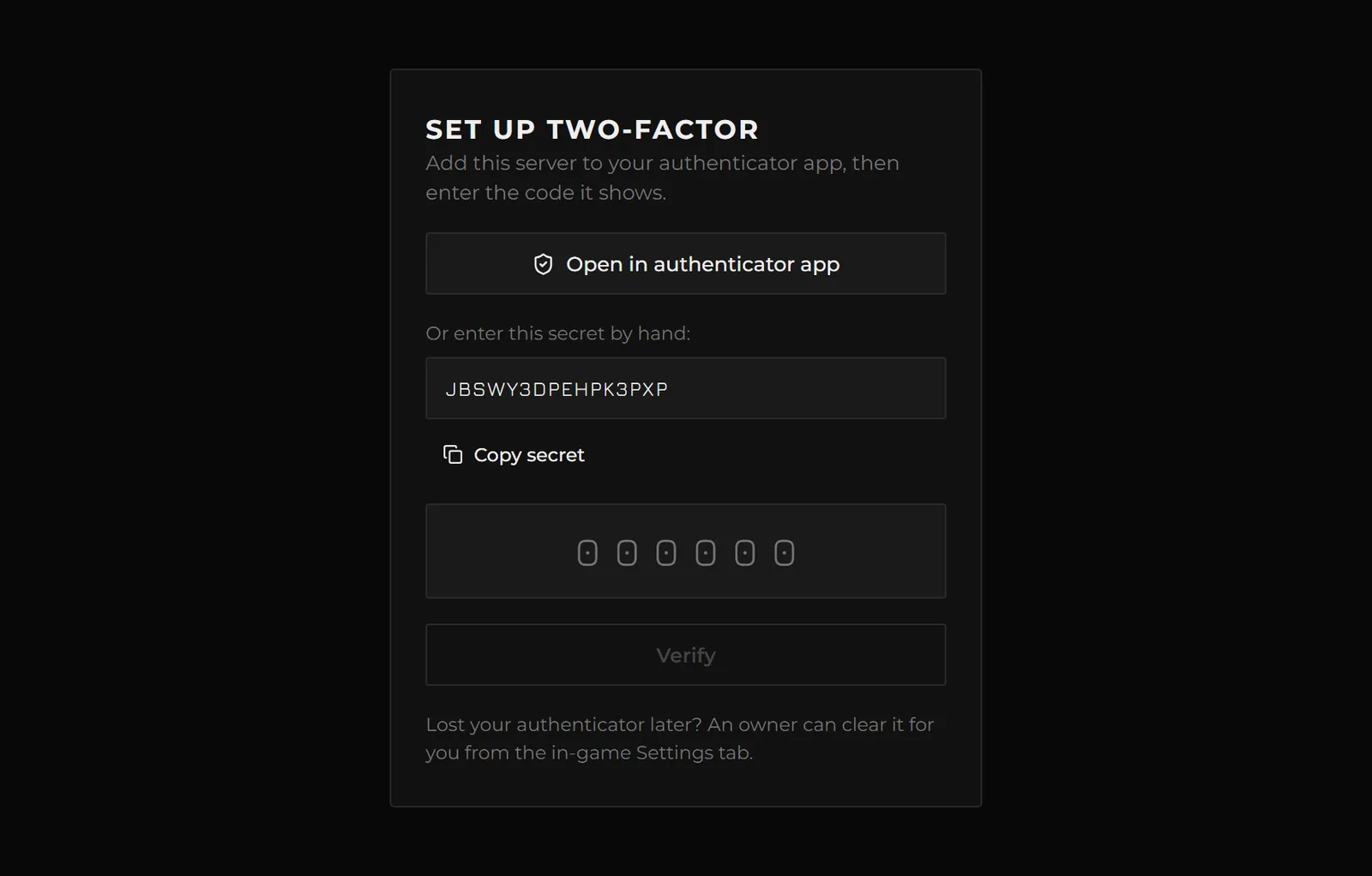
Enrolment is a tappable otpauth:// link and the secret in plain text, not a QR code - the
common case for this panel is a phone, where the authenticator is on the same device and a QR
cannot be scanned off the screen showing it. On a desktop you paste the secret instead. Any
authenticator works: Google Authenticator, Authy, 1Password, Bitwarden.
Optional role gate. requiredGuildRoles turns strangers who find the login page away
before rank resolution even runs.
Sessions
- An idle timeout (60 minutes by default) and an absolute ceiling (12 hours), so a stolen session cannot live forever.
- Bound to the browser it was created in - moving the cookie to another device ends the session rather than sharing it. Not bound to IP, because phones change IP constantly and that would sign your staff out all day.
- An in-game kill switch: Admin menu → Settings → Web Portal → Revoke all. Every session dies immediately, including any live screen view.
- Sessions are stored keyed by a hash of the token, never the token itself.
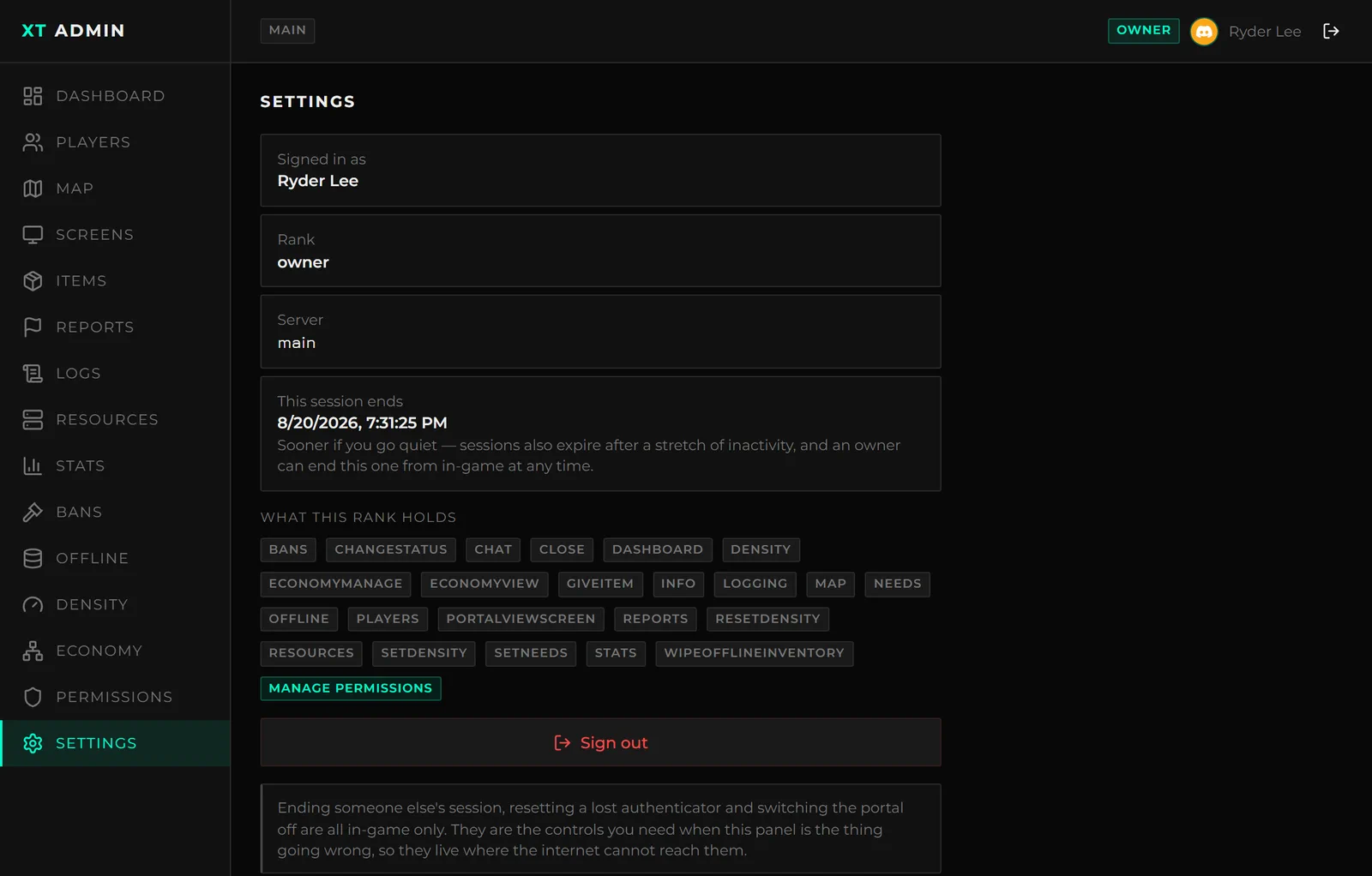
The Settings tab needs no permission at all - it shows this session, exactly when it dies, and the keys the rank behind it actually holds. Ending someone else's session, clearing a lost authenticator and switching the portal off are all in-game only, so they stay reachable when the panel is the thing going wrong.
The audit trail
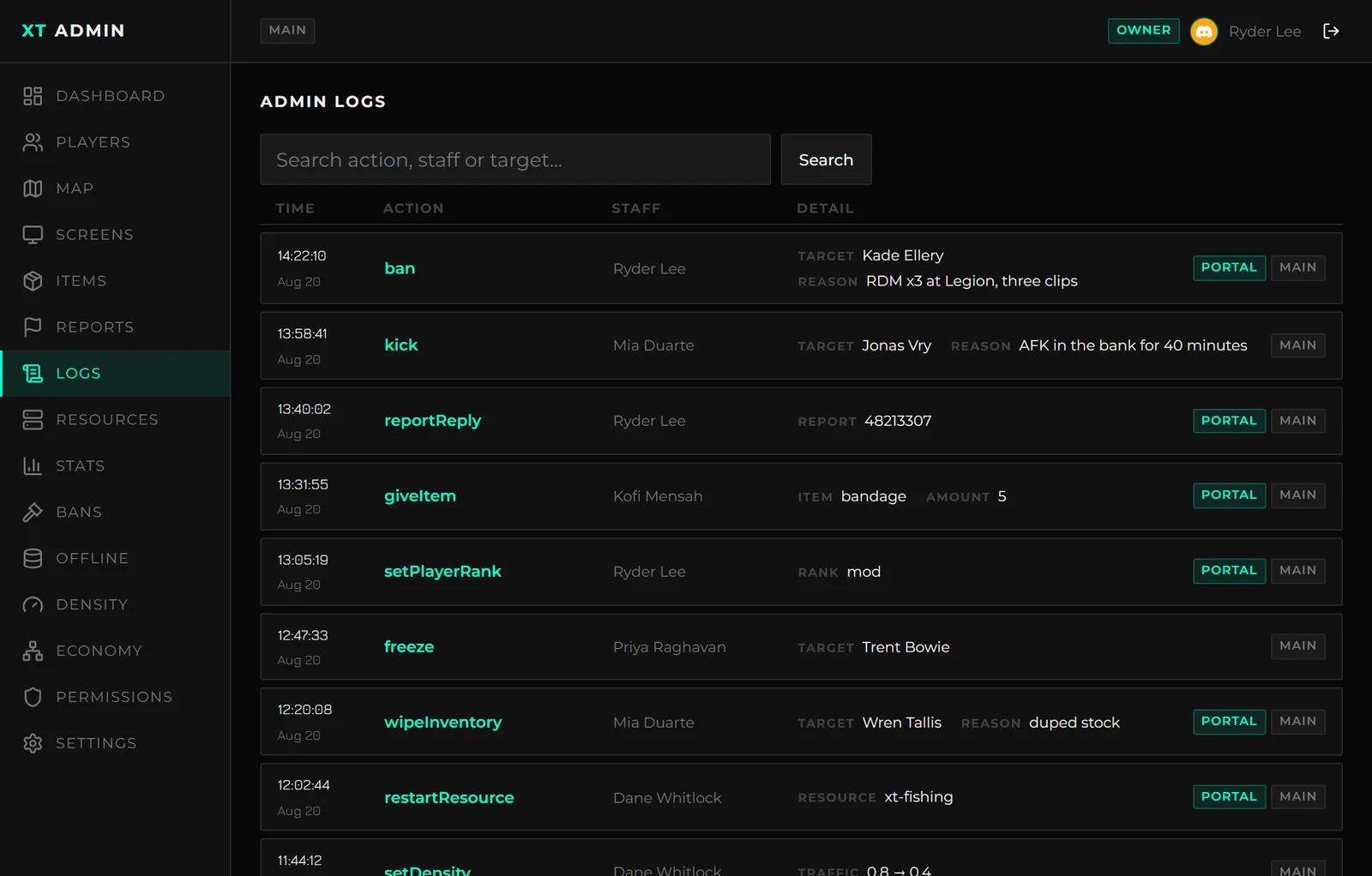
Every portal action lands in the same log as the in-game one, marked via = portal, so you can
always tell which surface an action came from. Two-factor enrolments are logged too.
Optional screen viewing
Watch a player's screen from the browser. Off by default, and a separate decision from the portal itself.
This lets a portal session view your players' screens from outside the server. It needs
screens = true in configs/portal.lua and the separate portalViewScreen permission in
xt-admin, which ships at dev so nobody has it by accident. Turn it on only if you want that.
Frames are never stored - nothing reaches the database or the disk.
Frames are polled, not streamed. FiveM's HTTP response buffers until it is sent, so there is no SSE and no chunked transfer available. At the capture cadence the difference is invisible, and polling is what survives a tunnel's idle timeout.
Hardening
Everything below is the shipped default:
| Rate limiting | Per IP, in separate buckets, with the tightest one on the login routes so a 6-digit code cannot be guessed |
| Cookies | HttpOnly, Secure, SameSite=Strict |
| CSP | Strict, and no CORS anywhere |
| Origin check | On every write |
| Fails shut | A half-finished setup serves a bare 404, never a login page that cannot complete |
| TLS | Only localhost, 127.0.0.1 and ::1 are served over plain http. Every other hostname is https no matter how it is written |
Which actions work remotely
An action is available from the portal when its definition in xt-admin/configs/actions.lua
carries remote = true. That flag is opt-in per action and off by default, so an action
you add yourself stays in-game only until you say otherwise.
Out of the box these are remote:
| Moderation | Freeze, drop from sky, wipe inventory, kick, ban, set rank |
| Items | Give an item or weapon |
| Trolling | All of them - every one acts on the target, not on you |
The gate is checked before the permission check, so a rank misconfiguration can never widen what the portal can reach.
See Custom Actions for the rule to apply when flagging your own.