 xT Development
Features
A tab-by-tab tour of the xT Admin menu.
A tour of the menu, tab by tab, in the order they appear. Every tab is gated on its own permission key - a rank only sees the tabs it is allowed to open, and the ones it cannot open are never sent to its client at all.
Tab order, labels and icons all live in configs/actions.lua. You can reorder them, rename
them, or delete the ones you do not want.
Dashboard
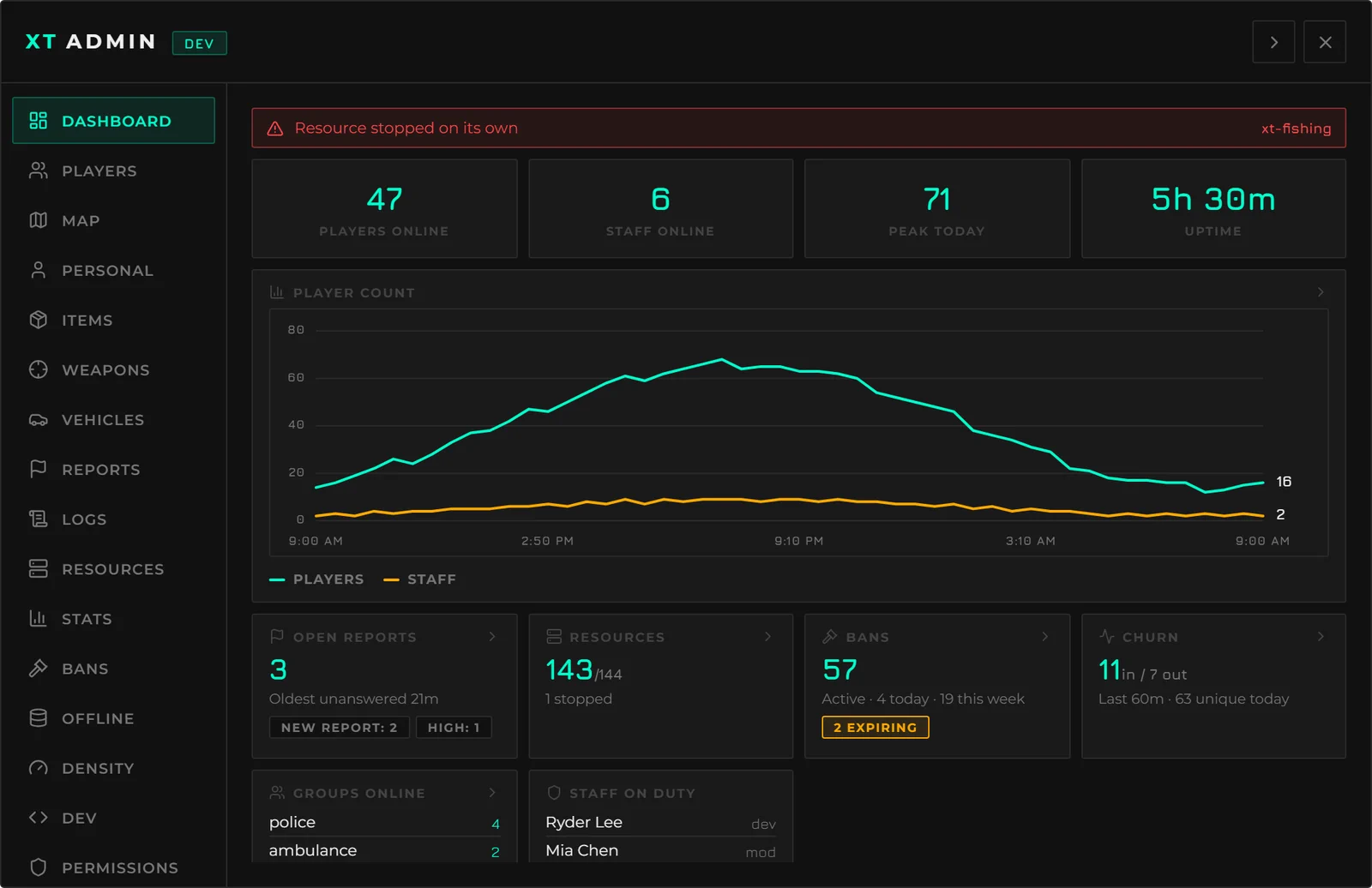
The landing tab, and a read of the whole server at a glance:
- Vitals - players online, staff on duty, today's peak, and uptime.
- Staff on duty - who else is working right now.
- Player churn - joins and leaves over a rolling window.
- Groups online - head count per job or gang, in the order you configure.
- Recent actions - the last few rows of the audit trail.
- Busiest staff - action counts per admin over the last day.
- Bans - filed today, filed this week, currently active, and expiring in the next 24 hours - the one figure that tells you who is about to walk back in.
- Anomaly strip - appears only when something is wrong: a ban spike, one player spamming reports, reports left unanswered too long, or a resource that stopped on its own.
Every card inherits the permission of the tab it links to. A rank that cannot open Logs does not get the recent-actions card - and the data is absent from the payload rather than hidden in the client.
Players
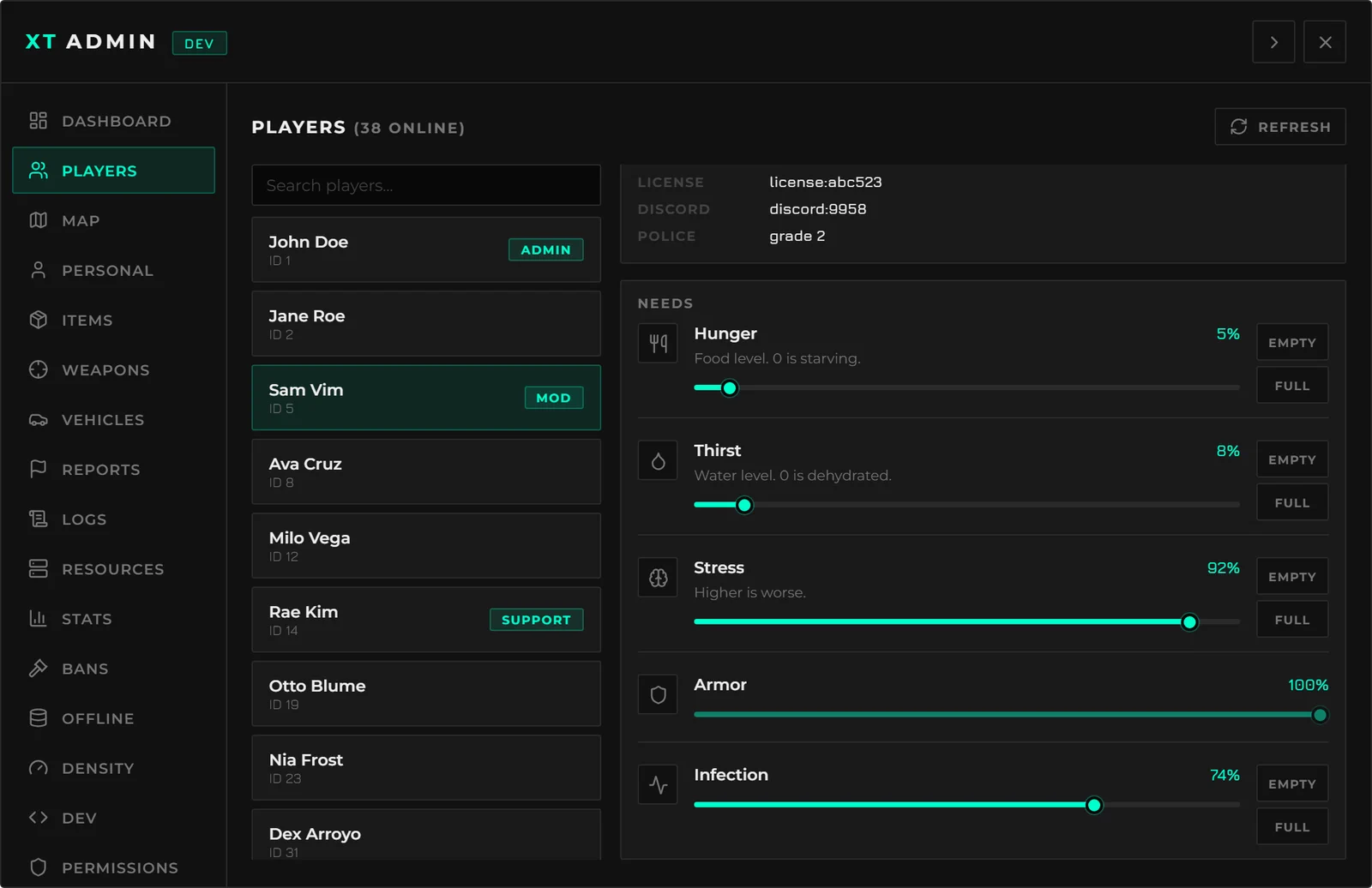
The moderation surface. Search the roster, select a player, and act on them:
| Identity | Name, server id, job and grade, and every identifier you list in the config |
| Needs | Live hunger, thirst, stress - or whatever your server tracks. Drag a slider or apply an Empty / Full preset |
| Spectate | Attach your camera to them and hear what they hear - world audio and proximity voice, not just the picture |
| Screen | A live window on their screen, or a silent one-off screenshot |
| Moderation | Freeze, kill, revive, bring, cuff, kick, ban, drop from sky |
| Inventory | View what they are carrying, or wipe it |
| Clothing | Open a clothing menu on them |
| Rank | Assign or remove an admin rank |
| Trolling | Fire, attacking ped, mute, fart, slow move, reversed controls, a clone that follows them, a ghost, or a wheel torn off their car |
Trolling is its own permission group, so a rank can be given the moderation actions without any of it. None of them are silent - every one is visible to the victim and to everyone around them.
Map
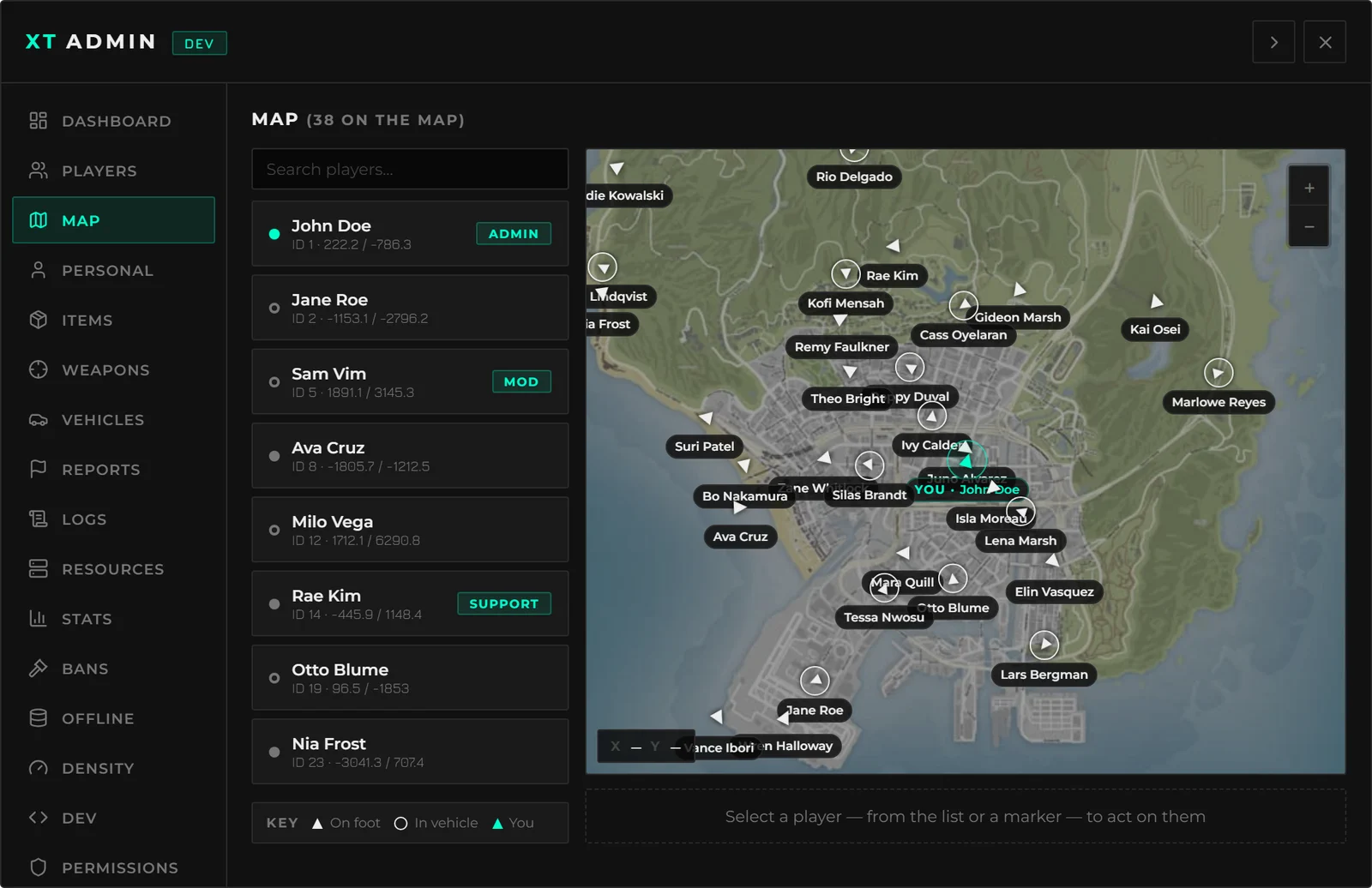
Live player positions on a real map of the world. Click a player to teleport to them, or run any player action straight from the map without going back to the roster.
Personal
Everything you do to yourself: noclip, godmode, invisible, super jump, speed run, infinite ammo, player blips, player names, teleport (to waypoint, to coordinates, or to a player), revive all, revive nearby, and the weather panel.
Toggles show their current state when the menu opens, so you always know what you left on.
Items & Weapons
Search your entire item and weapon catalogue, pick a player, and give it to them. Amounts are
capped and validated on the server. Item icons come from whatever image path ox_inventory
already uses, so an image pack that works in the inventory needs no extra setup.
Vehicles
Search and browse the whole vehicle list by class, then spawn one. Fix, refuel, re-plate, delete or max out the performance of the vehicle you are in. Which classes may be spawned, and which models can never be, are both config.
Reports
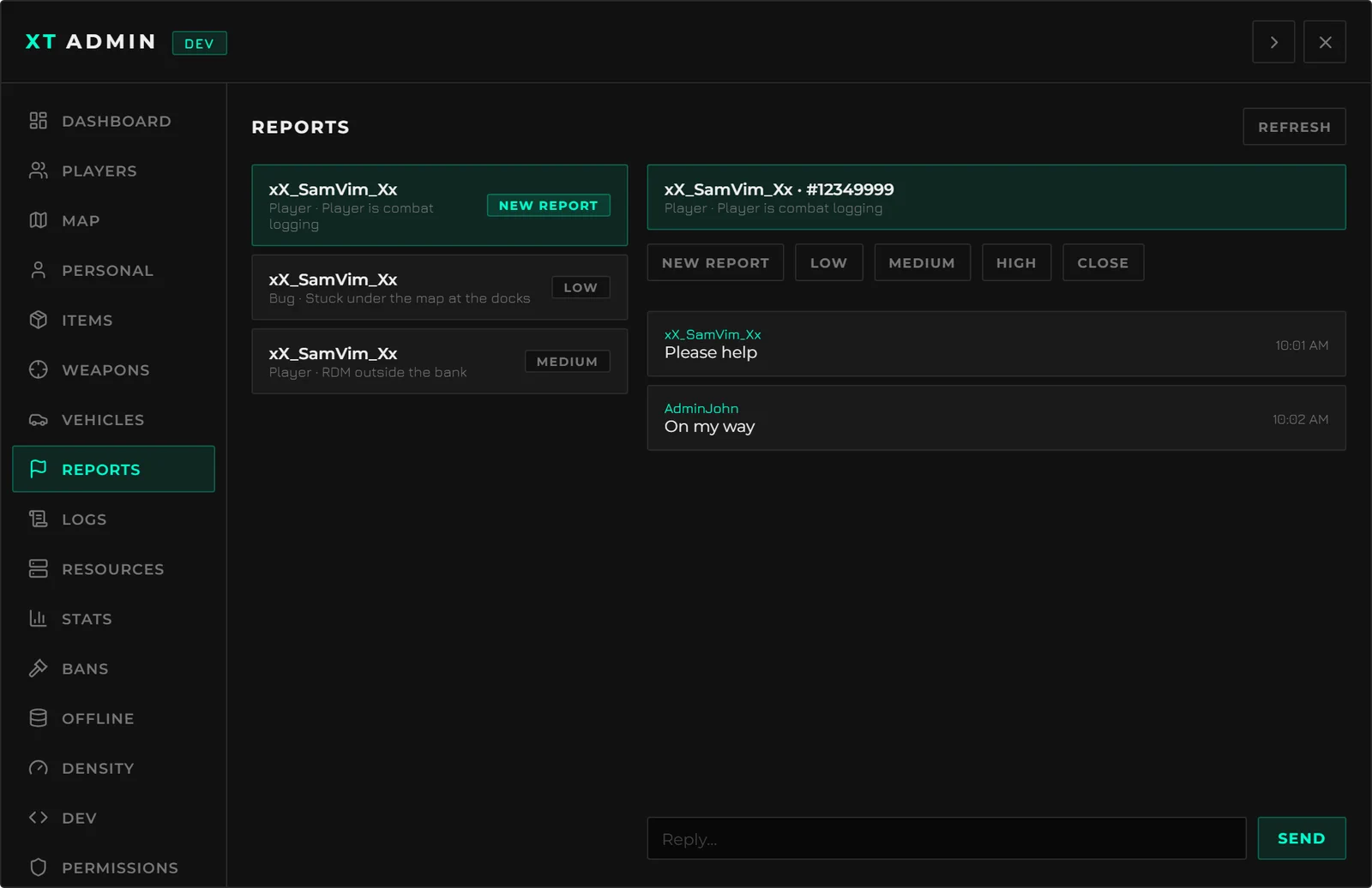
A two-way report queue. Players file with /report; staff pick one up, chat back and forth
inside it, change its status, and close it.
Report types and statuses are config - including whether filing a report snapshots what the player was carrying at that moment, which settles most "it vanished from my inventory" tickets on the spot.
Reports live in memory for the life of the server session. A restart clears the queue. Everything that happened to a report - created, replied, status changed, closed - is in the audit log, which is persisted.
Logs
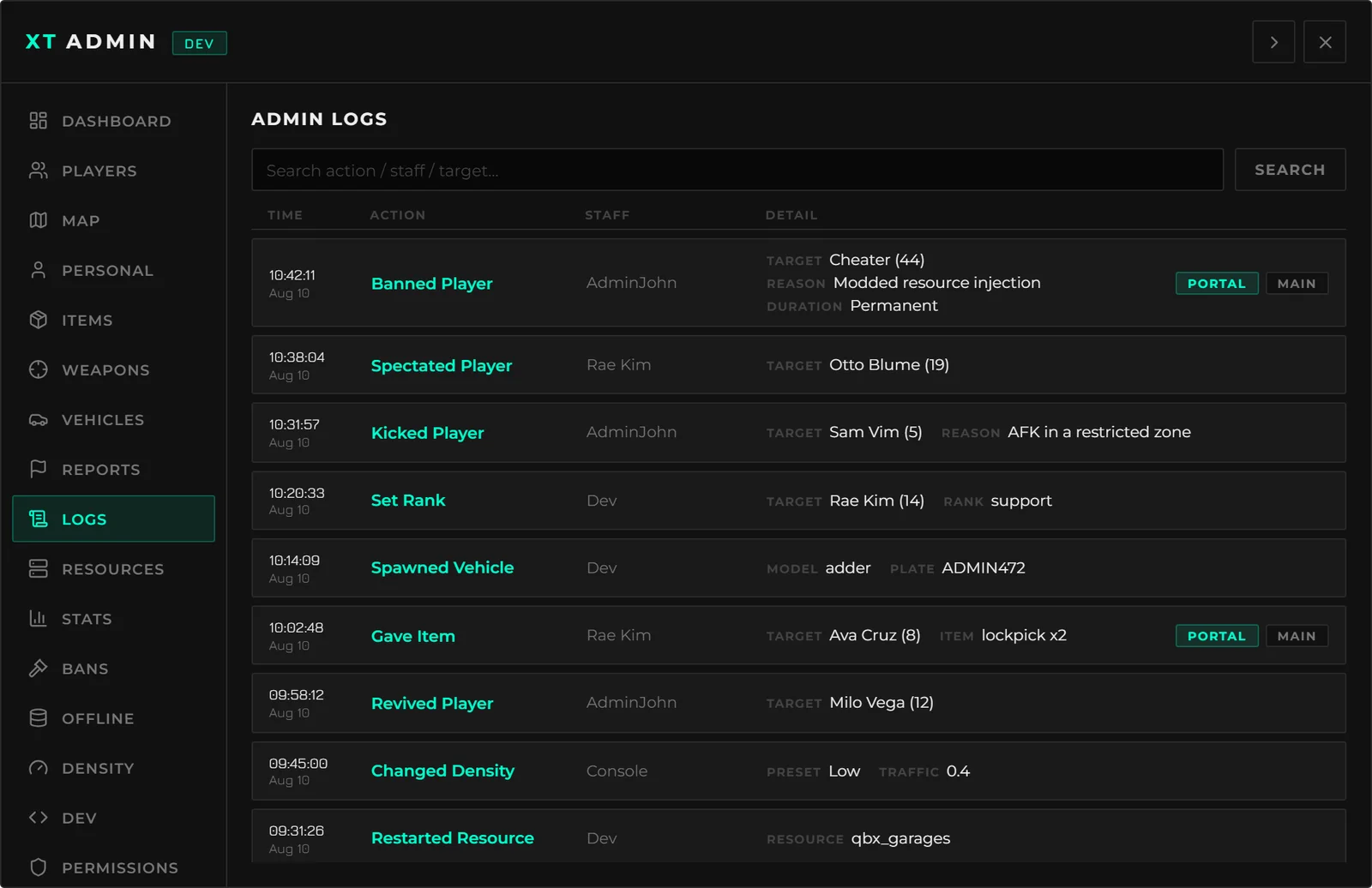
Every admin action, every blocked attempt, and every report event, searchable by staff name, action or target - read straight out of the database, so it survives restarts.
See Logging for what is recorded and how to forward it.
Resources
List every resource on the server, search it, and start / stop / restart. Resources you mark as protected are removed from the list and refused by the route behind it - the framework, this menu and its dependencies ship protected out of the box.
Stats
Live player and staff counts, plus a player-count history captured on an interval you set.
Bans
Every active ban, searchable, with the reason, who filed it, when, and when it expires. Revoke one from here.
Offline
Search players who are not connected. Ban them, assign them a rank, or wipe an offline character's inventory - all without waiting for them to come back.
Density
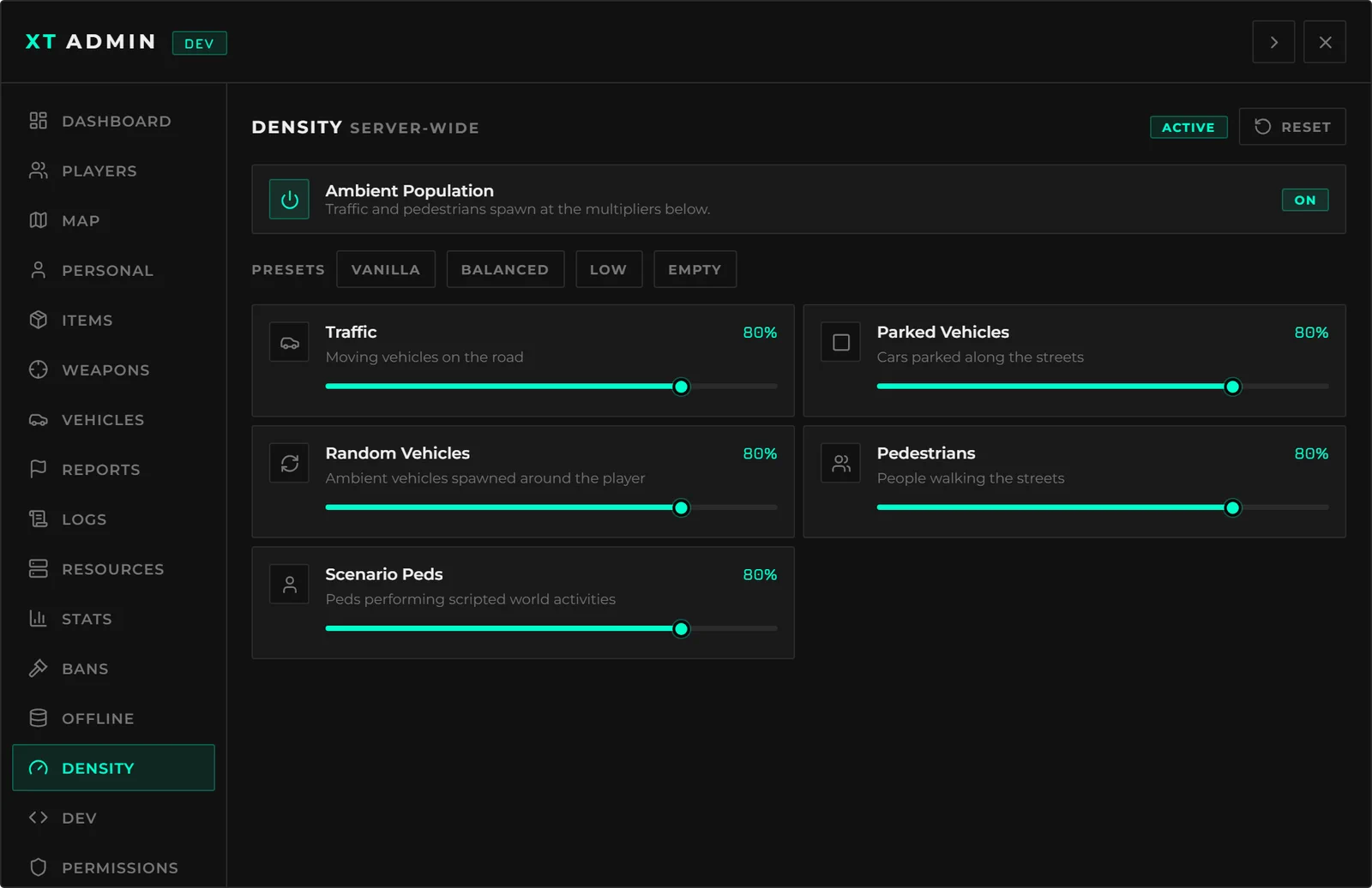
Server-wide ambient population levers: traffic, parked cars, random vehicles, pedestrians and scenario peds. Move a slider and every connected client follows immediately; the setting is persisted, so it survives a restart.
One-click presets (Vanilla, Balanced, Low, Empty) and a kill switch for the moments you need the streets clear right now.
Dev
Nearby entity info, an entity laser you point at things to inspect (with keybinds to copy or delete what you are pointing at), a coordinate copier, and the Economy Map.
The Economy Map
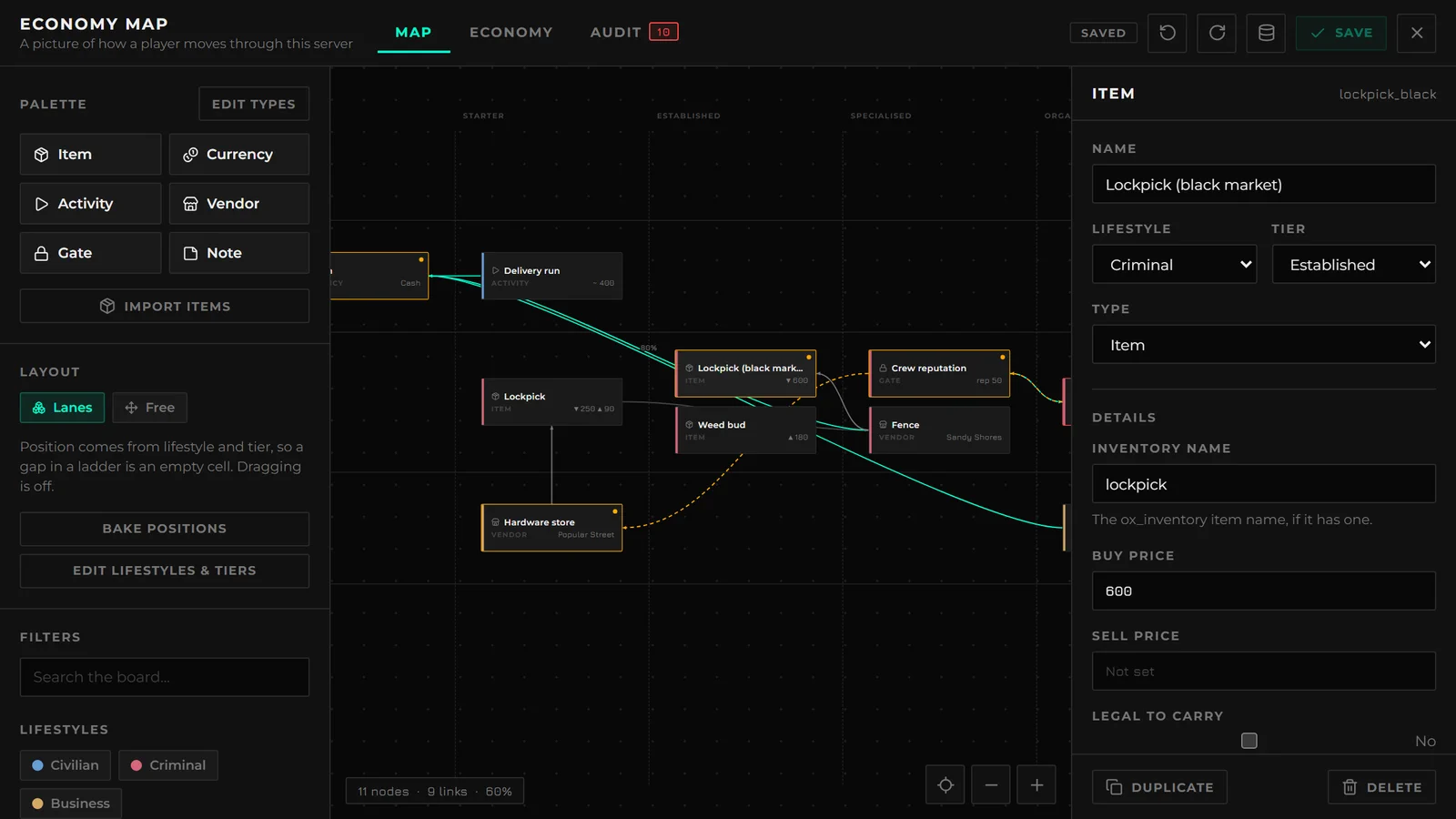
An in-game board for your server's economy and progression - items, currencies, activities, vendors, gates and notes, laid out on lifestyle-and-tier lanes and joined by the flows between them.
- Import your real
ox_inventoryitems rather than retyping them. - Prices, tags and notes per node.
- An audit that tells you what is broken: a dead end, an unreachable node, a sink with no source.
- Revision history - every save files the previous version, so you can see what changed and roll back.
It is gated by its own two keys (economyView and economyManage), so a designer can be
given the board without any dev tools.
Permissions
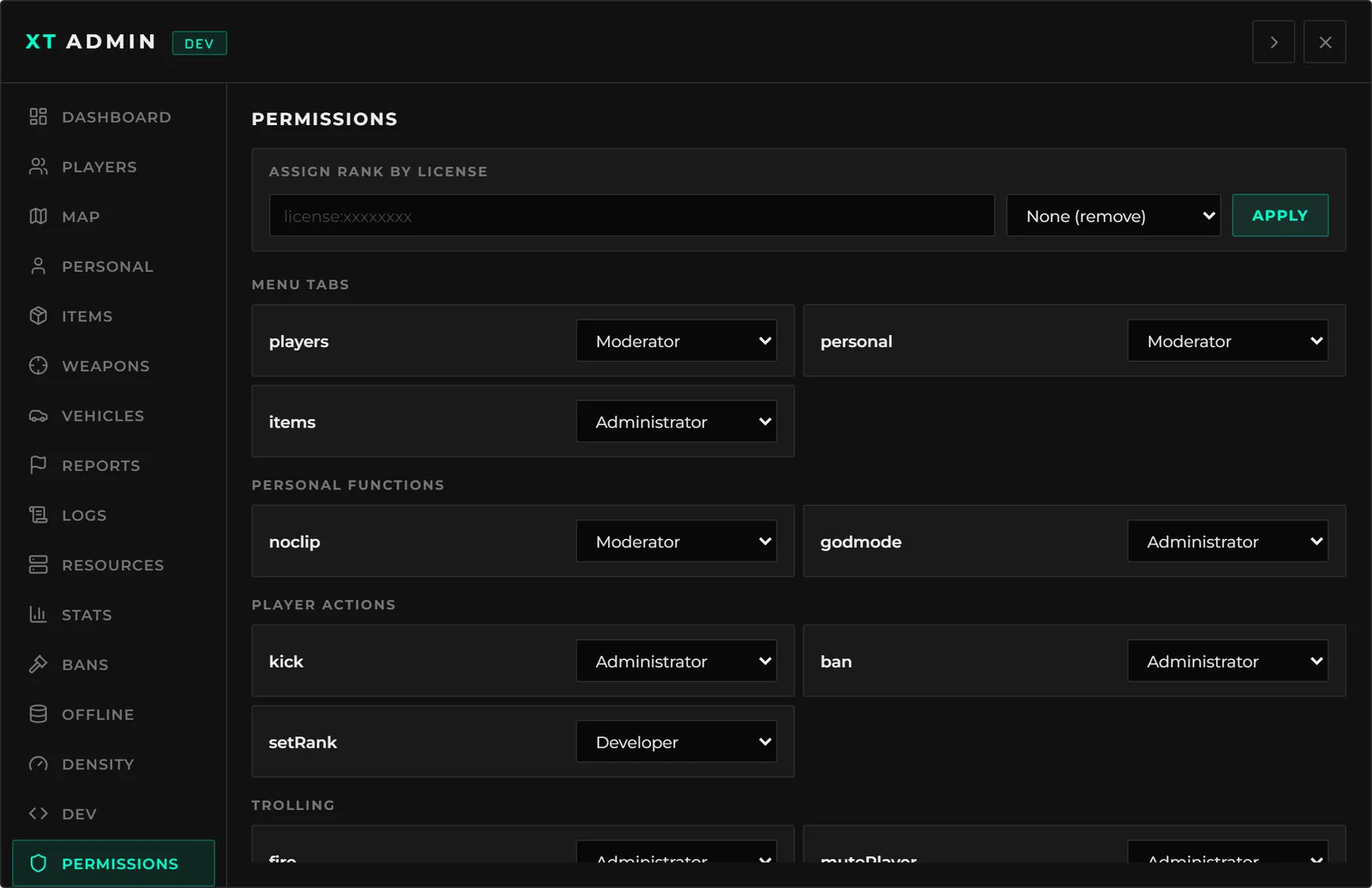
A live editor for the whole permission system:
- Change the minimum rank required for any tab or any action, without touching a file.
- Assign or remove a rank for any player.
Changes are written to the database and win over the defaults in configs/permissions.lua.
Settings
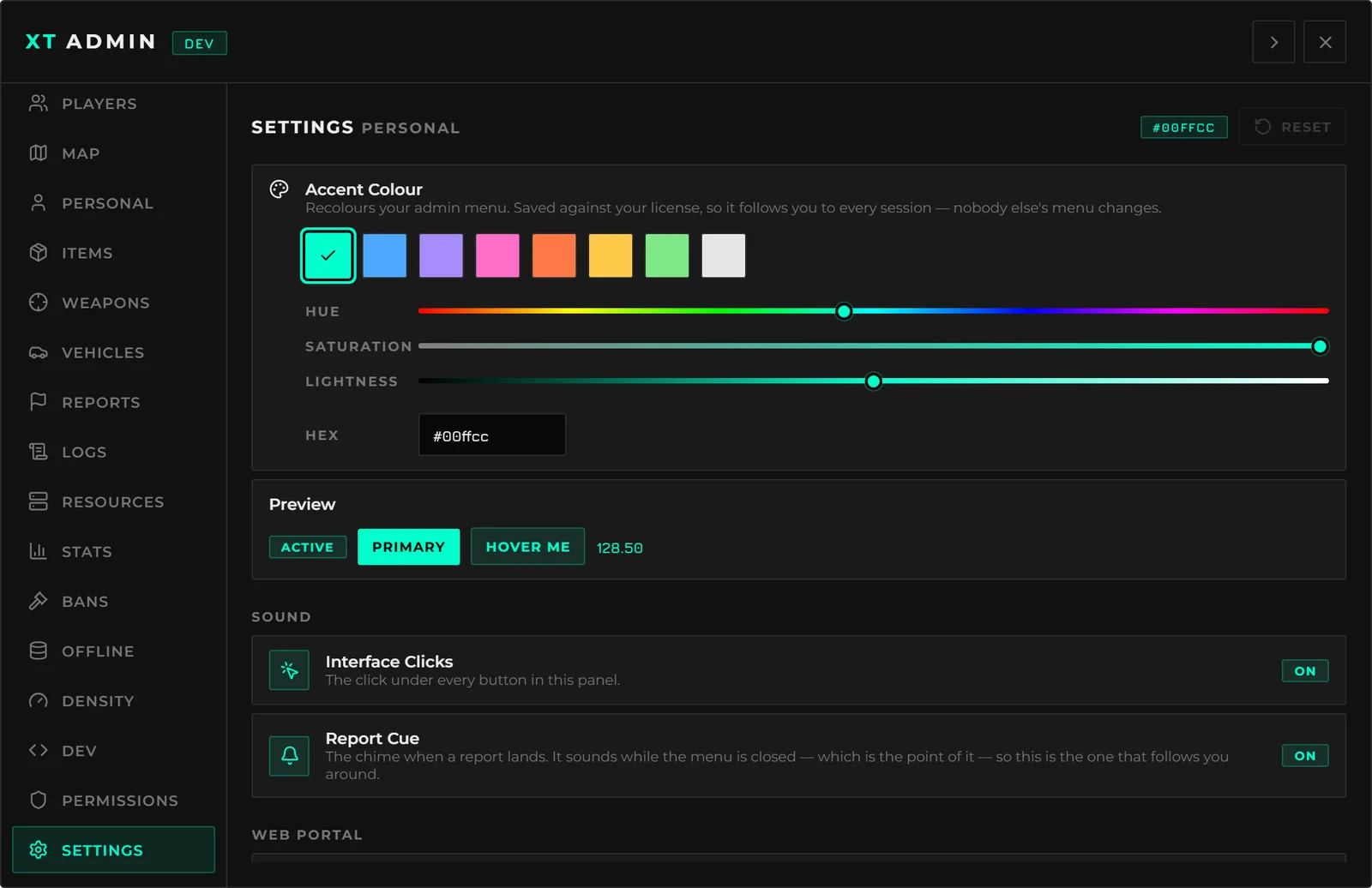
Per-admin preferences - an accent colour picked from swatches or any hex you like, with a contrast check so nobody makes their own buttons unreadable, plus interface sound toggles.
If you run the web portal, this tab is also where you see live browser sessions, revoke one or all of them, and clear someone's two-factor enrolment when they lose their phone.